
快速集成 Markdown 编辑器到你的 Vue 3 项目
🛠️ 快速上手(Vue 3 + Vite)
1. 安装依赖
# 核心包
npm install @bytemd/vue-next

# 推荐插件(按需安装)
npm install @bytemd/plugin-gfm        # GitHub 风格 Markdown(表格、任务列表等)
npm install @bytemd/plugin-highlight  # 代码高亮
npm install @bytemd/plugin-math       # LaTeX 数学公式(可选)
npm install @bytemd/plugin-mermaid    # 流程图/时序图(可选)
💡 注意:@bytemd/vue-next 是专为 Vue 3 设计的封装组件。
2. 全局引入样式(推荐)
// main.js
import 'bytemd/dist/index.css'
3. 在组件中使用
<template>
  <div id="md_edit_div">
    <Editor :plugins="plugins" :value="value" @change="handleChange"/>
  </div>
</template>

<script lang="ts" setup>
import {Editor} from "@bytemd/vue-next";
import gfm from "@bytemd/plugin-gfm";
import highlight from "@bytemd/plugin-highlight";

//定义组件属性类型
interface MdEditProps {
  value: string,
  handleChange?: (v: string) => void
}

//设置默认值
withDefaults(defineProps<MdEditProps>(), {
  value: '',
  handleChange: (v: string) => {
    console.log(v)
  }
})
//md插件
const plugins = [
  gfm(),
  highlight()
]
</script>

<style lang="scss" scoped>
#md_edit_div {
  :deep(.bytemd-toolbar-icon.bytemd-tippy.bytemd-tippy-right:last-child) {
    display: none;
  }
}
</style>
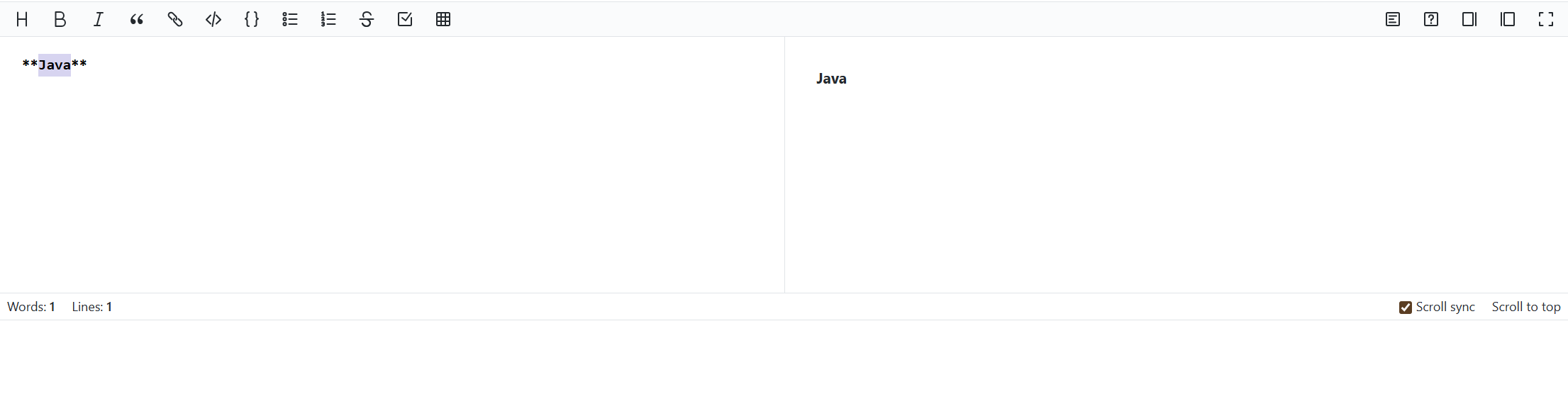
💡效果图

阅读建议


评论
匿名评论
隐私政策
你无需删除空行,直接评论以获取最佳展示效果